UK IPTV — Subscription Plans, Pricing & Support
Looking for UK IPTV? UK IPTV offers flexible IPTV subscription plans for viewers across the United Kingdom, priced in pounds, for watching live TV and on-demand content on compatible devices including Firestick, Fire TV, Android TV, Smart TVs, phones, tablets, and computers.
Choose your plan, check device compatibility, and chat with our support team if you need help getting started.
Updated September 2026
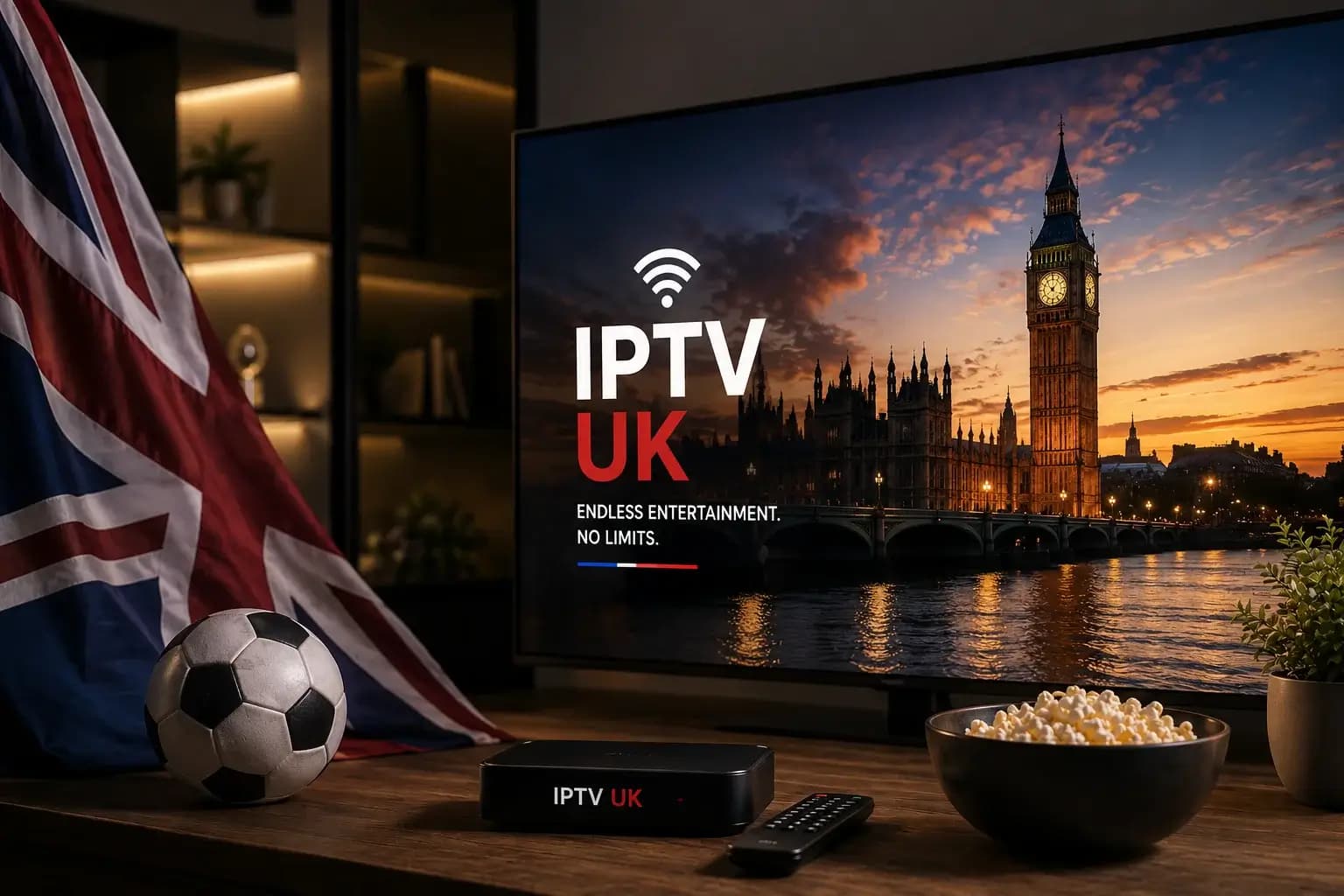
Why Buy Your UK IPTV Subscription from UK IPTV?
A reliable IPTV subscription service built around real support, fast setup, and a guarantee — not just a cheap trial.
Live TV & On-Demand Channels
Stream live sports, movies, and shows on your IPTV subscription, with EPG and 7-day catch-up TV included.
Works on Firestick, Smart TV & More
Watch your IPTV subscription on Firestick, Fire TV, Android TV, Smart TVs, phones, tablets, and computers.
Smooth 4K Streaming, No Buffering
Anti-freeze playback handling keeps your IPTV subscription streaming smoothly in HD, Full HD, and 4K.
Secure Checkout & 30-Day Guarantee
Buy your IPTV subscription with confidence, backed by a 30-day money-back guarantee on every plan.
24/7 Live Chat Support
Get help choosing a plan or setting up your device — chat with our IPTV support team any time.
UK IPTV for Live TV & On-Demand Viewing
Live TV & On-Demand Entertainment Without the Hassle
UK IPTV gives viewers across the United Kingdom a simple way to enjoy live TV and on-demand entertainment through a compatible IPTV player. Choose a subscription based on the number of connections you need and watch on supported devices including Firestick, Fire TV, Android TV, Smart TVs, phones, tablets, and computers.
Whether you're looking for IPTV for Firestick, a UK IPTV subscription for your Smart TV, or a flexible option for multiple devices, UK IPTV makes getting started simple.
30-Day Money-Back Guarantee • No Contracts • Prices in £
UK IPTV subscription plans
Two plans, based on how many devices you want streaming at once. Full details, including limitations, are on each plan's page.
Standard
A straightforward plan for a single screen.
1 connection · 4K / Ultra HD
6 months
£39
£6.50/mo
12 months
£59
£4.92/mo
3 yearsBest Value
£130
£3.61/mo
- ONE-TIME Payment
- VPN Protection
- Instant Delivery
- Family-Friendly
- Support All Devices
- 4K / Ultra HD Quality
- Anti Buffer System
- Available EPG
- Stable Servers
- Dedicated Support 24/7
- 30 Days Refund
- Live TV and video-on-demand (VOD) library
- Catch-up TV — 7-day replay
- Works with M3U and Xtream Codes apps
Prime
More connections, built for a household.
3 connections · 4K / Ultra HD
6 months
£59
£9.83/mo
12 months
£80
£6.67/mo
3 yearsBest for Families
£190
£5.28/mo
- ONE-TIME Payment
- VPN Protection
- Instant Delivery
- Family-Friendly
- Support All Devices
- 4K / Ultra HD Quality
- Anti Buffer System
- Available EPG
- Stable Servers
- Dedicated Support 24/7
- 30 Days Refund
- Live TV and video-on-demand (VOD) library
- Catch-up TV — 7-day replay
- Works with M3U and Xtream Codes apps
Supported Devices and Apps
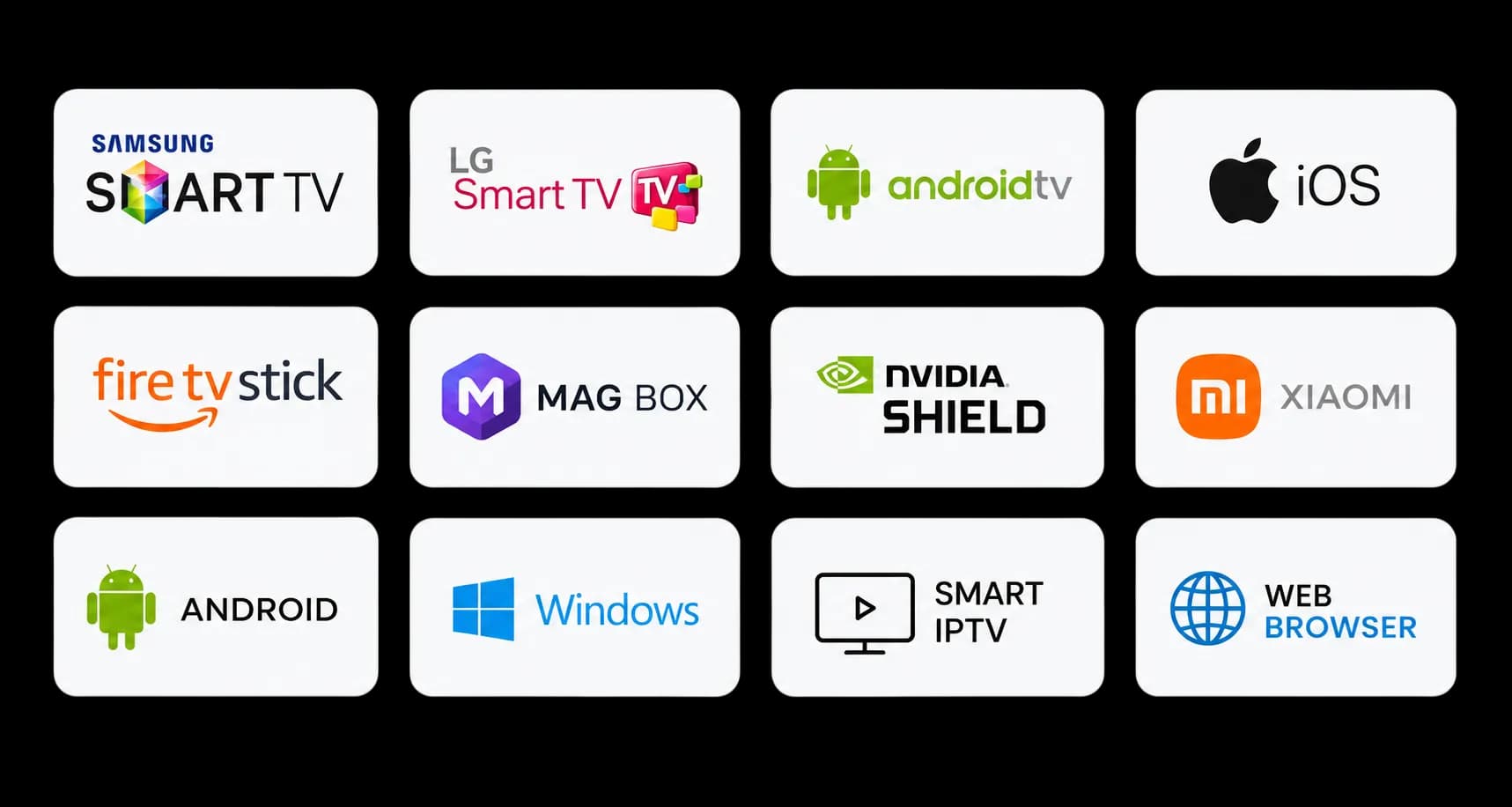
Watch your IPTV subscription on the device you already use at home. UK IPTV works with popular IPTV players that support M3U playlists or Xtream Codes, making it easy to watch live TV and on-demand content on Firestick and Smart TVs, plus Android TV, phones, tablets, Windows PCs, and Mac computers.
Whether you're looking for IPTV for Firestick, an IPTV subscription for your Smart TV, or a simple way to watch IPTV on your phone or computer, you can use your preferred compatible IPTV player and follow our step-by-step setup instructions.
Not sure which app to use? Visit our Supported Devices and Apps page for setup guides and instructions for your device.
How Your UK IPTV Subscription Works
Getting started with UK IPTV is simple. Choose your plan, chat with our support team, and we'll help you get set up on your device.
Step 1: Choose your plan
Pick the IPTV subscription that suits you. Compare our Standard and Prime plans on the pricing page and choose the option that works best for you.
View pricing →Step 2: Chat with support
Tell us which device you want to use and how you'd like to pay. Our support team will confirm your details and provide the payment instructions.
Start a chat →Step 3: Get connected
Once your payment is confirmed, your IPTV connection details are delivered instantly and automatically via WhatsApp, ready for your compatible player. Follow our setup guide and you'll be ready to watch.
See the setup guide →
Important Information About IPTV Streaming
We want you to know exactly what to expect before you order. Streaming quality can depend on your internet connection, device, player app, and the availability of the individual stream.
Channels and events may occasionally experience interruptions, changes, or temporary downtime. Because streaming sources can change, we cannot guarantee uninterrupted access, a specific uptime, or that every channel will always be available.
If you have questions about compatibility, availability, or how the service works for your particular setup, contact our support team before ordering.
Your responsibility
IPTV services and the apps used to access them may be subject to different laws, regulations, and terms depending on where you live. You are responsible for making sure that your use of the service is permitted in your location and complies with the terms that apply to your device and chosen app.
Please read our Terms of Service before placing an order.
UK IPTV Subscription for Viewers Across the UK
Looking for a flexible IPTV subscription for your home or personal devices? UK IPTV gives viewers in England, Scotland, Wales, and Northern Ireland a simple way to watch live TV, movies, and on-demand content through a compatible IPTV player.
Choose a plan based on how many devices you want to use at the same time, then use your preferred compatible app on Firestick, Fire TV, Android TV, Smart TVs, phones, tablets, or computers.
Comparing providers? See how Televo IPTV plans, apps, and setup line up against UK IPTV.
Why Choose UK IPTV?
Live TV, Movies & On-Demand Entertainment
Enjoy access to live TV and video-on-demand content through your IPTV player. Depending on the available source, channels and content can be available in HD, Full HD, or 4K quality.
Our service also supports EPG and 7-day catch-up TV where available, giving you more flexibility over how you watch.
IPTV for Firestick, Smart TV & More
UK IPTV is designed to work with popular devices and IPTV apps that support M3U or Xtream Codes.
You can use your subscription on devices including Amazon Firestick and Fire TV, Android TV and Android TV boxes, compatible Smart TVs, Android and iOS phones, tablets, Windows PCs, and Mac computers.
Visit our setup guides to find instructions for your specific device and IPTV player.
Choose the Right IPTV Plan
We offer two subscription options depending on how many connections you need.
Standard — 1 Connection
A straightforward IPTV subscription for a single screen.
- 1 simultaneous connection
- ONE-TIME Payment
- VPN Protection
- Instant Delivery
- Family-Friendly
- Support All Devices
- 4K / Ultra HD Quality
- Anti Buffer System
- Available EPG
- Stable Servers
- Dedicated Support 24/7
- 30 Days Refund
- Live TV and video-on-demand (VOD) library
- Catch-up TV — 7-day replay
- Works with M3U and Xtream Codes apps
Prime — 3 Connections
A flexible option for households that want to stream on multiple devices at the same time.
- 3 simultaneous connections
- ONE-TIME Payment
- VPN Protection
- Instant Delivery
- Family-Friendly
- Support All Devices
- 4K / Ultra HD Quality
- Anti Buffer System
- Available EPG
- Stable Servers
- Dedicated Support 24/7
- 30 Days Refund
- Live TV and video-on-demand (VOD) library
- Catch-up TV — 7-day replay
- Works with M3U and Xtream Codes apps
Simple IPTV Setup
Choose your plan
Compare our Standard and Prime IPTV subscriptions and select the duration that suits you.
Chat with support
Tell us which device you're using and we'll help you with the next steps and payment instructions.
Get your connection details
After your payment is confirmed, your IPTV connection details are delivered instantly via WhatsApp.
Set up your IPTV player
Follow our setup guide for your Firestick, Smart TV, Android TV box, phone, tablet, PC, or other compatible device.
IPTV Support When You Need It
Need help choosing an IPTV plan or setting up your device? Our support team can help you understand which plan and compatible player are right for your setup.
If you're not sure whether your Firestick, Smart TV, Android TV box, phone, tablet, or computer is compatible, contact us before ordering.
Start Your IPTV Subscription
Choose the plan that fits your viewing needs and get started with UK IPTV.
Whether you need IPTV for Firestick, IPTV for your Smart TV, or an IPTV subscription for multiple devices, choose between our Standard and Prime plans and follow our simple setup process.
What UK IPTV Customers Say
See what customers have shared with us after getting set up. These are real WhatsApp messages from customers who reached out about subscriptions, setup, and streaming — shown as they were sent, with contact details removed.
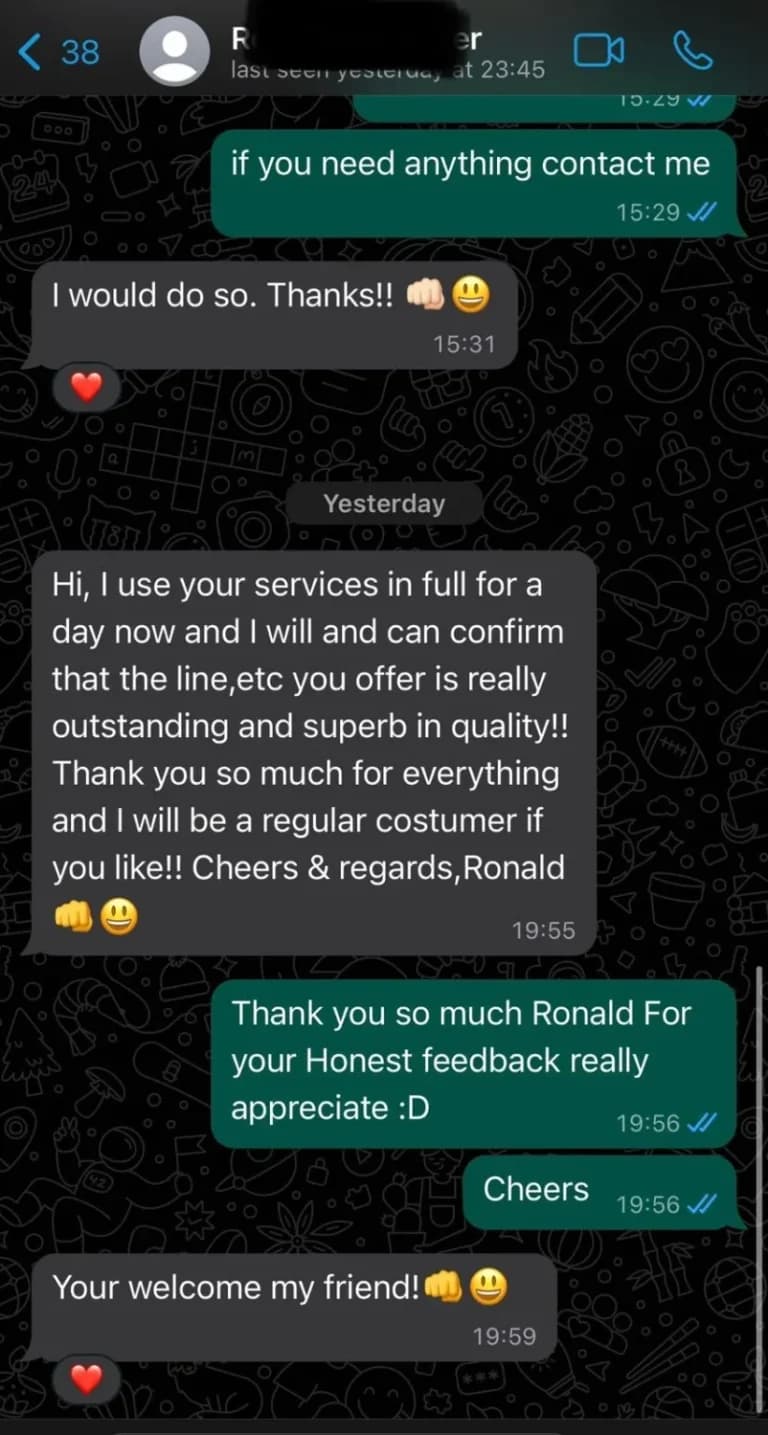
“Hi, I use your services in full for a day now and I will and can confirm that the line,etc you offer is really outstanding and superb in quality!! Thank you so much for everything and I will be a regular costumer if you like!!”
— Ronald, via WhatsApp
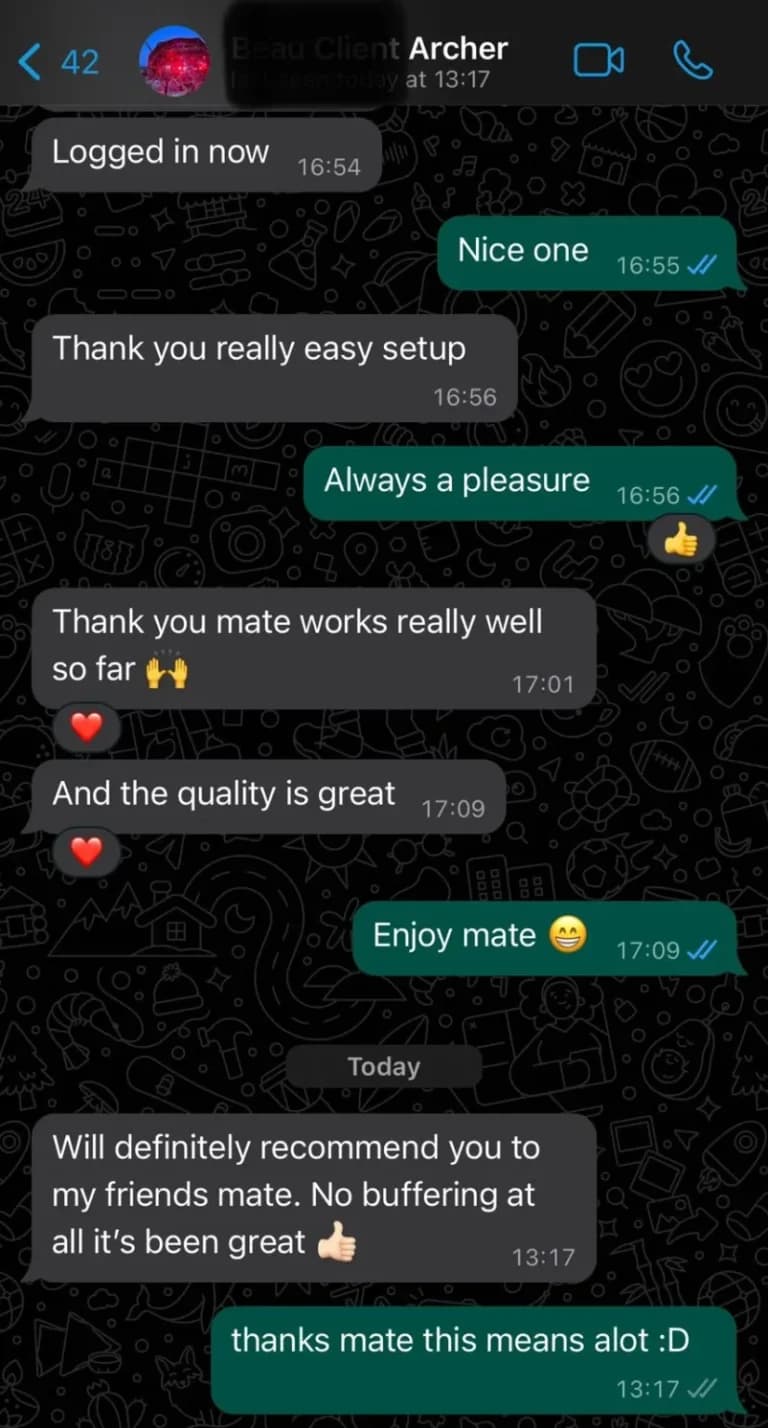
“Will definitely recommend you to my friends mate. No buffering at all it's been great”
— Archer, via WhatsApp
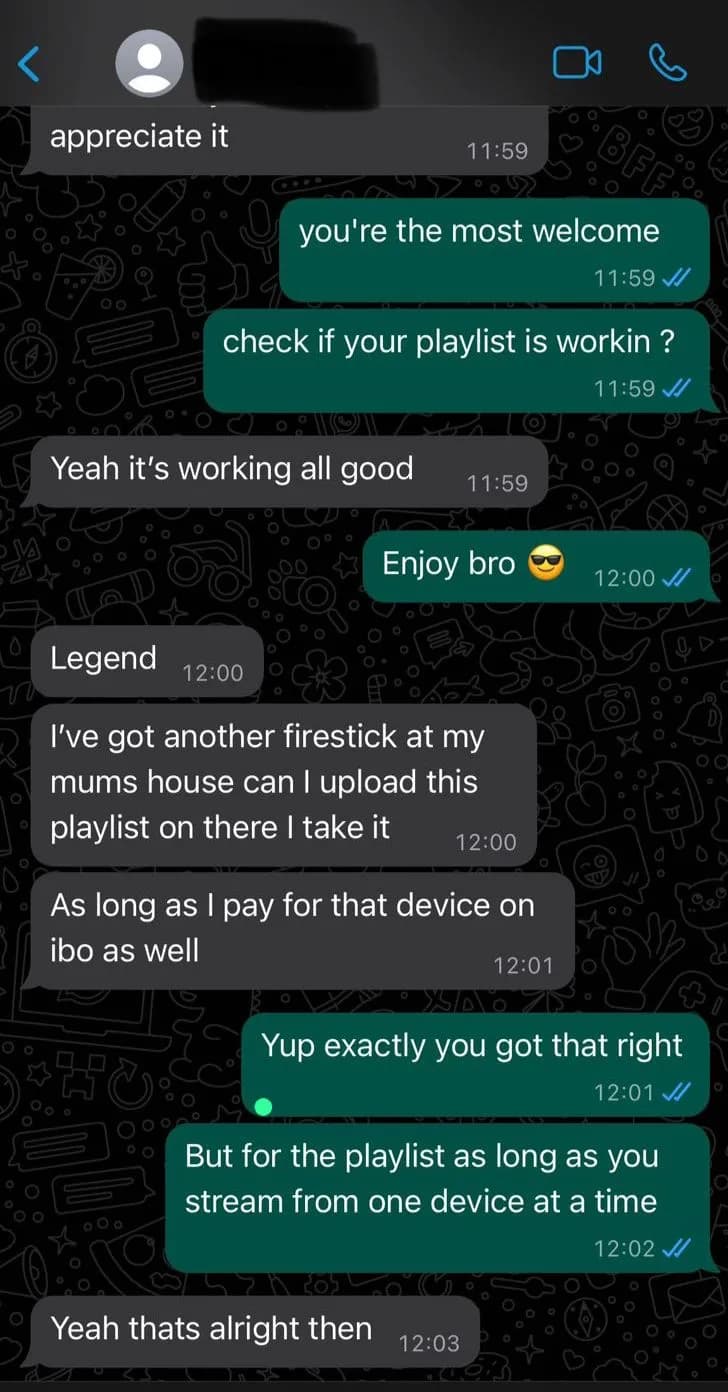
“Yeah it's working all good”
— WhatsApp customer, via WhatsApp
Customer messages shared with UK IPTV.
See our IPTV plans · Need help setting up your device? · Have a question?
Frequently asked questions
What devices work with a UK IPTV subscription?
Any device that can run an M3U or Xtream-compatible IPTV player: Amazon Fire TV/Firestick, Android TV, Android and iOS phones, most Smart TVs, and Windows/Mac computers. See our full device and app compatibility page for setup notes per device.
How do I actually place an order?
Pick a plan and billing period on the pricing page, then click Order. Chat will ask which device you're using and how you'd like to pay, then a member of our team follows up with payment instructions. Once payment is confirmed, your connection details are delivered instantly and automatically via WhatsApp.
Is there a free trial?
Yes. We offer a 72-hour free trial so you can confirm the service works on your device before you buy a full plan. Message us on WhatsApp or ask in chat to get started.
What happens if the service has an outage or a stream stops working?
Like any streaming service, individual sources can go down or degrade, and this can happen without notice. Contact support in chat and we'll help troubleshoot or point you to a working source. See our limitations section below for the full picture.
Can I cancel or get a refund?
We offer a 30-day money-back guarantee from the date of purchase — contact support in chat within that window. Plans don't renew automatically, so there's nothing to cancel when your term ends; see our terms of service for full details.
Guides and troubleshooting
Setup help and answers to common problems, written from our own support conversations:
- How to choose the best IPTV subscription plan
- Free trial vs. paid subscription: what to check first
- Best IPTV apps for Smart TV, Android TV, and Firestick
- How to fix IPTV buffering and improve streaming quality